Panel PC Mounting Options: VESA vs Panel Mount vs Open Frame
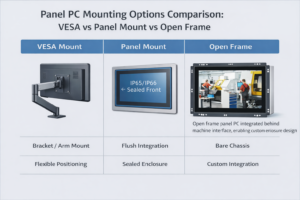
Introduction Panel PC mounting options are a key aspect of industrial panel PC system design.Selecting the …
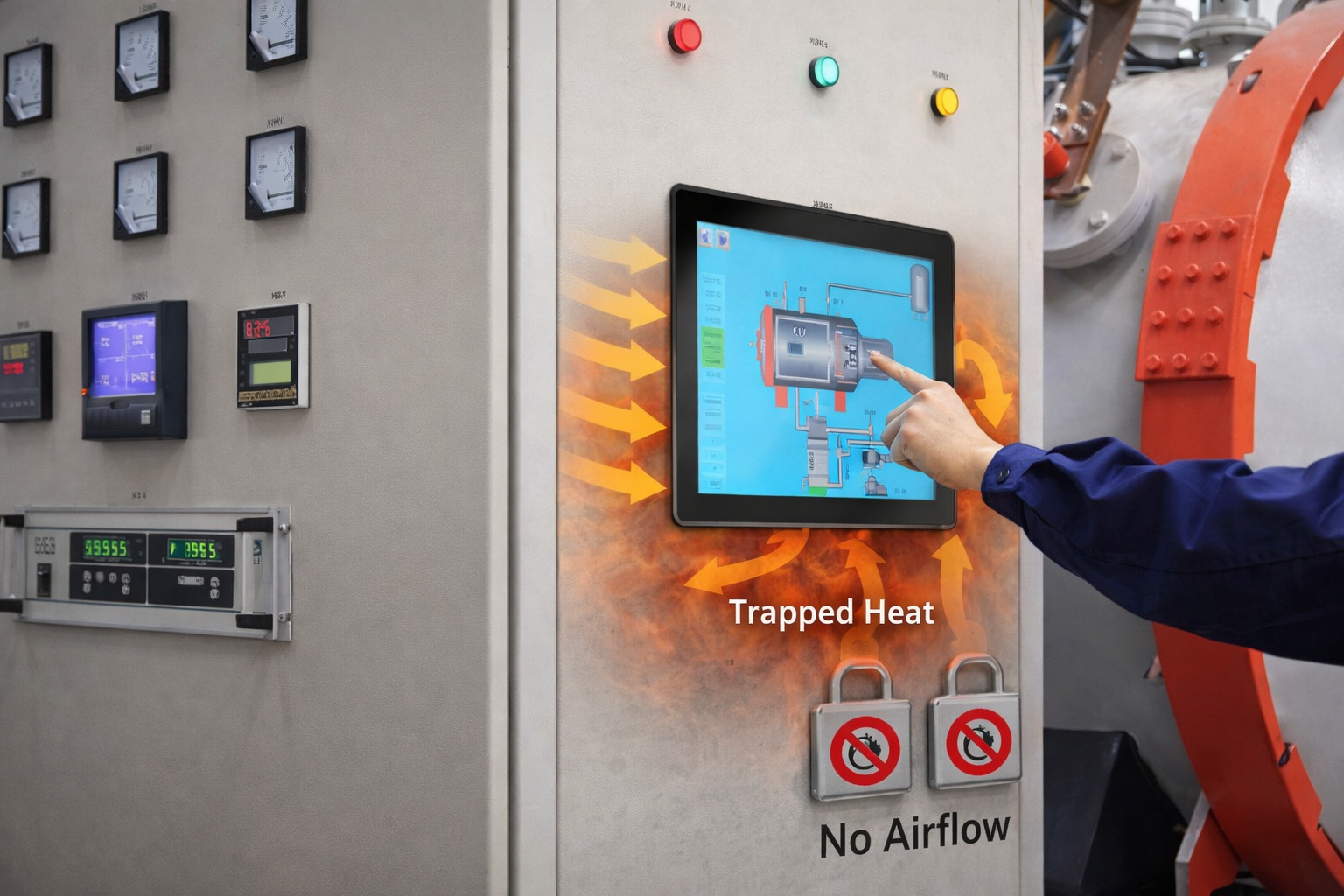
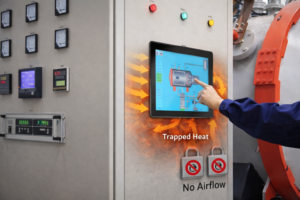
Industrial panel PCs often fail in high-temperature environments—not because of hardware defects, but due to limitations in thermal design and installation conditions.For a broader understanding of system design and selection, see our Industrial Panel PC guide.
In many real-world deployments, overheating is not a component issue, but a system-level design problem involving heat generation, enclosure constraints, and airflow limitations.
In applications such as factory automation systems, outdoor kiosks, and sealed control cabinets, overheating is one of the primary causes of system instability and premature failure.
Industrial panel PC overheating is a condition where internal heat generation exceeds passive heat dissipation capacity, especially in sealed or high-temperature environments.
If not addressed during system design, overheating can lead to:
Overheating is rarely caused by a single issue. It is typically the result of multiple interacting factors:
In many industrial environments—especially sealed cabinets—internal temperatures can rise 10–20°C above ambient, significantly reducing thermal margin.
Because fanless systems rely on heat conduction rather than forced airflow, their cooling capacity is inherently limited.
In most cases, overheating is the result of insufficient thermal margin rather than a single component failure.
Some panel PCs cannot dissipate the full thermal output of their CPU.
Typical issues include:
Result: Heat accumulation during continuous operation.
Industrial environments frequently operate near or above thermal limits.
Additional factors:
A system rated for 50°C often has very limited real-world margin.
Waterproof and dustproof designs eliminate airflow.
Engineering trade-off:
All heat must be transferred through the enclosure, limiting cooling effectiveness.
Using high-performance CPUs for low-load applications is a common design mistake.
Examples:
Impact:
Installation directly affects thermal performance.
Common issues:
Even properly designed systems can overheat under poor installation conditions.
The display subsystem contributes to total system heat load.
Heat sources include:
This is critical in outdoor or sunlight-readable applications.
Continuous operation prevents thermal recovery cycles.
This leads to:
Thermal load is directly related to processor power consumption.
| Application | Recommended CPU |
|---|---|
| HMI / SCADA | Intel N97 / J6412 |
| Basic control | ARM or low-power x86 |
| Machine vision | i5 (with active cooling) |
Select the lowest TDP processor that meets performance requirements.
System integration significantly affects heat dissipation.
Recommended practices:
Improved airflow significantly enhances heat dissipation.
Thermal performance depends on mechanical structure.
Key features:
Avoid operating systems at maximum rated temperature.
Example:
Lower operating temperature improves long-term reliability.
In many high-temperature environments, improving cooling alone is not sufficient.
In many cases, continuing to optimize a panel PC setup will not resolve overheating—selecting a different system architecture is more effective than incremental cooling improvements.
Different system architectures result in significantly different thermal behavior, failure risk, and maintenance requirements:
| Architecture | Thermal Performance | Reliability | Risk Level | Typical Use Case |
|---|---|---|---|---|
| Panel PC (fanless) | Medium | Medium | Medium | Standard factory environments |
| Fan-based Panel PC | High | Lower (maintenance required) | Medium | High-performance scenarios |
| Industrial PC + Monitor | High | High | Low | High-temperature environments |
| Remote PC Architecture | Best | Very High | Very Low | Outdoor / sealed environments |
Suitable for high-temperature industrial environments.
Suitable for:
In field deployments, panel PCs installed in sealed cabinets have shown significantly higher failure rates due to heat accumulation compared to ventilated or split-system designs.
Effective thermal management requires system-level evaluation:
Maintain sufficient gap between operating temperature and component limits.
Reducing operating stress improves system lifespan and reliability.
Cabinet design directly affects heat accumulation and dissipation.
Higher temperatures accelerate component aging and reduce MTBF.
Industrial panel PC overheating is a system-level thermal issue, not a single-component problem.
It is influenced by:
In high-temperature environments, selecting the appropriate architecture is often more effective than improving cooling alone.
Thermal reliability should be considered early in system design, rather than addressed after deployment.
What is the most common cause of industrial panel PC overheating?
Restricted airflow in sealed environments.
Are fanless panel PCs more vulnerable to overheating?
Yes. They rely entirely on passive cooling and are sensitive to installation conditions.
Does display brightness affect temperature?
Yes. Higher brightness increases power consumption and heat output.
Can overheating reduce system lifespan?
Yes. Elevated temperatures accelerate component degradation.
How can overheating be reduced without replacing hardware?
Improve airflow, reduce system load, and optimize installation conditions.
Have a high-temperature or sealed enclosure application?
Provide your operating temperature, enclosure type, and workload profile to evaluate suitable system architectures and thermal strategies to prevent overheating and improve long-term reliability.
Introduction Panel PC mounting options are a key aspect of industrial panel PC system design.Selecting the …
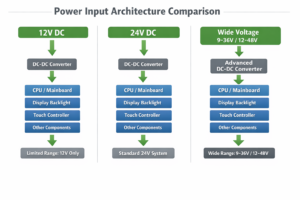
Introduction: Why Industrial Panel Pc Power Input Selection Matters Selecting the correct power input for an …
Introduction Industrial panel PC reboot issues are often misattributed to software faults. In practice, most reboot …
Introduction Industrial panel PCs often fail in high-temperature environments—not because of hardware defects, but due to …
Send your application details. We respond with configuration direction and next steps.