What Is an Industrial Panel PC? Components, Types and Applications

An industrial panel PC is a computer with a built-in display, usually a touchscreen, designed for …
Eagle Touch Engineering Team
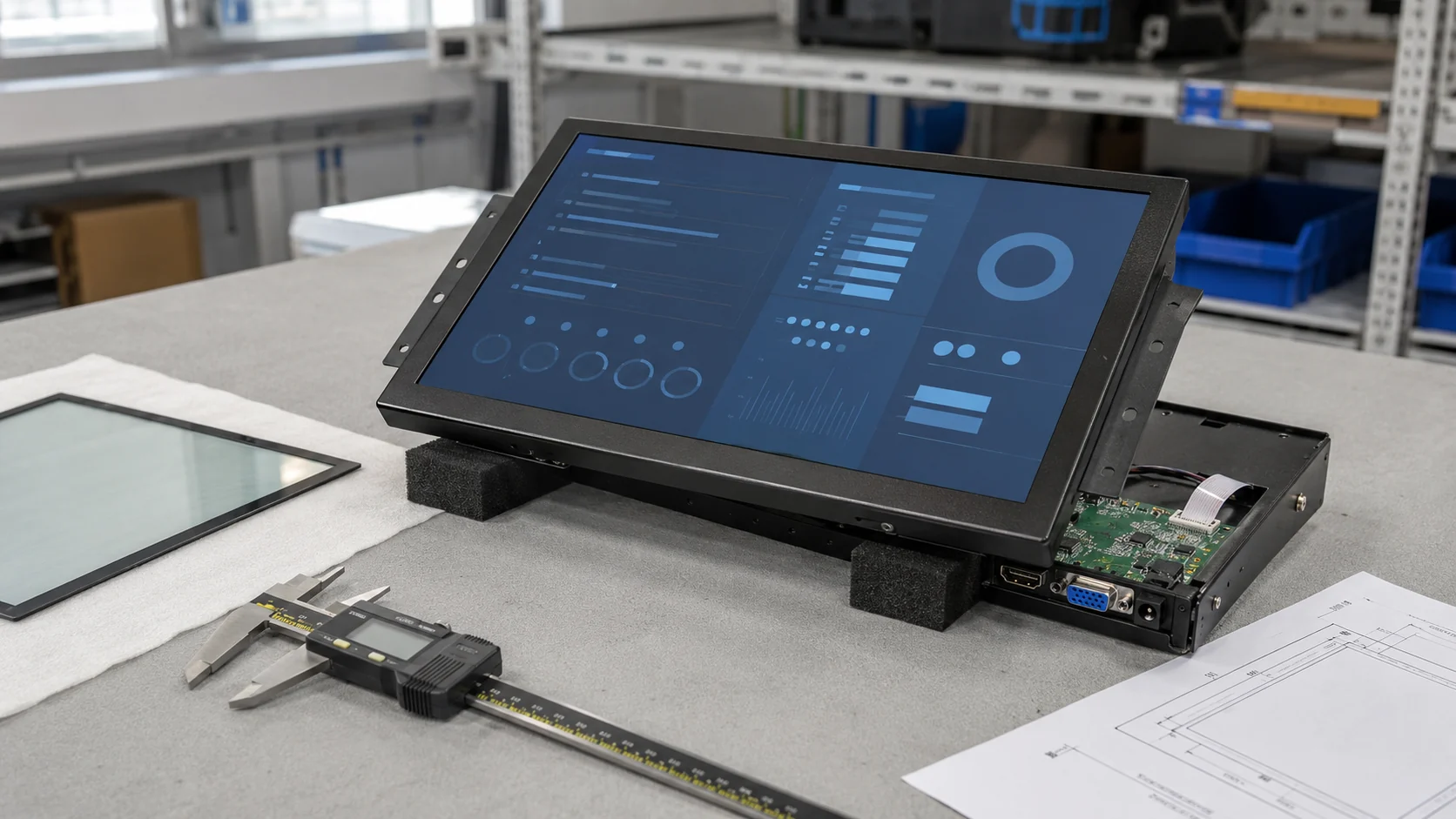
A custom sunlight readable monitor must fit both the equipment and its operating environment. Brightness matters, but so do the cover glass, touch panel, bonding, controller, metalwork, cables and enclosure temperature.
The first decision is not “How many nits do we need?” It is whether a standard monitor can be used, whether a proven platform can be modified, or whether the project genuinely needs a new design.
For most OEM projects, modifying an existing platform is the safer starting point. It shortens development time and avoids unnecessary tooling. Full customization makes sense when the available size, mounting structure, optical stack or electrical design cannot meet the application.
For brightness and outdoor-visibility selection, see our sunlight readable monitor selection guide. This article focuses on how a custom project moves from requirements to an approved production unit.
| Area | Typical options |
|---|---|
| Display | Size, resolution, brightness, viewing direction and orientation |
| Optical stack | Air or optical bonding, cover glass, AG, AR and printed border |
| Touch | PCAP or resistive, interface, glove and wet-touch tuning |
| Mechanical design | Open frame, panel mount, bezel, cutout, VESA and cable direction |
| Electrical design | Video input, power input, brightness control and ambient-light sensor |
| Protection | Front sealing, complete enclosure protection, temperature and impact requirements |
Not every change requires a new monitor. The practical question is which requirements can be handled by an existing platform and which ones alter the basic construction.
| Project condition | Recommended route |
|---|---|
| A standard model meets the dimensions, brightness, interfaces and mounting requirements | Test the standard model first |
| The LCD and controller are suitable, but the project needs different glass, cables, brackets or settings | Modify an existing platform |
| The required outline, optical stack or electrical architecture cannot be achieved with an existing design | Develop a full custom monitor |
A modified platform is often sufficient for kiosks, EV chargers and industrial machines. Custom cover glass, a different bracket or a longer cable may solve the integration problem without changing the LCD and controller.
Full customization affects more than unit price. A new housing needs drawing and sample verification. A special cable may have a material MOQ. Changing the LCD can affect the controller, backlight circuit, power consumption and future availability.
For a small-volume project, adapting the customer’s enclosure around a proven monitor can be more sensible than redesigning the entire display.
A useful enquiry describes the equipment, not only the screen. The supplier should know:
If the brightness is unknown, describe the installation first. Selecting 1000, 1500 or 2000 nits without considering reflection and heat can produce an expensive but disappointing monitor.
The approved drawing and specification should represent the complete production configuration, not an empty housing that will be changed after the display stack is built.
Confirm the LCD model or agreed equivalent, brightness measurement point, touch construction, bonding interface, cover glass and surface finish. Bare-LCD brightness is not the same as luminance measured through the finished touch panel and glass.
The choice between air and optical bonding depends on reflection, condensation risk, repair strategy and cost. Our air bonding vs optical bonding guide explains these trade-offs in detail.
PCAP performance must be validated through the final glass and bonding structure, then tuned when necessary. Glass thickness, grounding, nearby metalwork and electrical noise can change touch behaviour. If gloves or water are part of the application, test those exact conditions on the production-intent sample.
Do not approve a bare touch sensor and then change the cover glass for mass production.
Confirm the overall dimensions, active area, viewing area, front step, cutout, mounting holes, rear clearance and cable exit. Also define whether the unit is installed from the front or rear and how the sealing gasket is compressed.
Glass thickness alone does not establish impact resistance. Glass size, strengthening, exposed area, edge support, bonding and enclosure design all matter. See our touch screen cover glass design guide when the glass is part of the mechanical or impact design.
Confirm the video input, touch interface, supply voltage, connector position, cable length and brightness control. If the equipment needs automatic dimming or synchronized power-on, agree on it before selecting the controller and cables. Our industrial display interface guide covers HDMI, DisplayPort and USB-C selection.
“IP65” is incomplete unless the protected boundary is stated. A panel-mount monitor may achieve front protection only after correct installation in the customer’s cabinet. A standalone outdoor unit requires a different enclosure.
Temperature ratings also need a clear boundary: are they for the LCD or the complete monitor? High-brightness backlights and solar loading can heat a sealed cabinet. Passive or active cooling should be chosen from the real heat load, not from a general preference for fanless construction.
| Stage | Main work | Output |
|---|---|---|
| Requirement review | Check application, environment, dimensions, interfaces and quantity | Confirmed requirements and open questions |
| Platform matching | Compare the project with existing LCD, controller and housing platforms | Standard, modified or full-custom route |
| Technical proposal | Define the preliminary configuration and development scope | Specification, quotation and schedule |
| Drawing review | Confirm outline, viewing area, cutout, mounting and connector positions | Approved mechanical drawing |
| Configuration freeze | Confirm LCD, touch stack, glass, bonding, controller and cables | Controlled sample specification |
| Prototype | Build and inspect the agreed configuration | Production-intent sample |
| Customer validation | Test fit, visibility, touch, interfaces, power and temperature | Test record and correction list |
| Pilot production | Verify repeatability, inspection criteria and packaging | Approved production process |
Changes are easiest before the drawing and configuration are frozen. A late change to glass thickness, LCD model or cable direction can affect several other parts and require another sample.
A short desk test is not enough for an outdoor monitor. Test the sample as close as practical to the final installation.
| Check | What to verify |
|---|---|
| Mechanical fit | Cutout, viewing area, screws, connector access and cable clearance |
| Optical result | Finished brightness, reflection and readability from the normal viewing position |
| Touch | Dry finger, required gloves, water condition, edges and false-touch rejection |
| Electrical | Video timing, touch interface, power-on behaviour, dimming and cable stability |
| Thermal | Display and enclosure temperature after the required operating period |
| Protection | Gasket compression and the defined sealing boundary |
| Visual quality | Dust, bubbles, mura, pressure marks, light leakage and printing |
Use representative screen content. Small text, dark backgrounds and low-contrast controls reveal problems that a bright demonstration image may hide.
If the monitor will operate inside a sealed kiosk or EV charger, use a representative cabinet for thermal testing. Direct sunlight heats both the LCD and enclosure; an air-conditioned bench test cannot reproduce that condition. See our guide to outdoor industrial display overheating for the main thermal risks.
Record every approved change. Production should use the same glass, bonding structure, touch parameters and key electrical configuration that passed validation.
There is no single MOQ for customization. It depends on which part changes and whether that part already exists.
| Change | Typical commercial impact |
|---|---|
| Existing LCD, controller and housing | Lowest development risk and shortest sample route |
| Custom glass and printing | Setup cost or glass MOQ may apply |
| Optical bonding | Adds process time, material cost and yield control |
| New metal housing | Requires drawing work and prototype verification |
| Special controller or interface | Requires compatibility and firmware validation |
| Custom cable or connector | Material MOQ and additional lead time may apply |
| High-brightness or wide-temperature LCD | Availability and lifecycle must be checked |
| New PCAP tuning | Requires final glass, grounding and functional testing |
Quantity should be discussed early. A design based on available parts may suit a small pilot order, while a new cable or LCD construction may only be viable at a higher volume.
Consider a 15.6-inch monitor specified as 1500 nits, PCAP touch, front IP65, HDMI and continuous operation. That is enough for an initial discussion, but not enough to release a design.
The engineering review must also establish whether the screen faces afternoon sun, whether the cabinet is sealed, how much rear space is available, how the gasket is compressed and whether the screen must work in rain.
Those answers may lead to optical bonding, wet-touch tuning through the final glass, an ambient-light sensor and changes to cabinet cooling. They may also change the brightness decision: a lower-brightness display with better reflection control may work, or more output may be required in a severe installation.
The sample should then be installed in a representative cabinet and tested from the real viewing position. That result is more useful than approving the monitor from its LCD datasheet.
Send the following information to begin an engineering review:
An early enclosure drawing is especially useful. It allows the supplier to check whether an existing platform can be adapted before proposing a more expensive custom design.
Use a standard monitor when it already fits. Modify a proven platform when only the glass, mounting, cables or settings need to change. Choose a full custom design only when the basic architecture cannot meet the project.
Before approving the sample, freeze the complete configuration. The LCD, touch panel, glass, bonding, controller, cables, housing and thermal environment must work as one assembly.
Eagle Touch supplies sunlight readable touch monitors for kiosks, EV chargers, transportation equipment, marine systems and industrial machines. Send us your application, enclosure drawing, required interfaces and estimated quantity, and we will check the most practical route from an existing platform to production.
Often, yes. Glass, printing, mounting holes, cables, interfaces and some settings can frequently be changed while retaining the LCD and controller platform. Feasibility depends on the construction and quantity.
No. Sheet-metal prototypes and printed glass may be possible without major tooling. Injection-moulded parts, extrusion profiles and specialized components are more likely to require tooling or a higher MOQ.
After the cover glass, bonding, grounding and surrounding metalwork are defined. Touch performance validated on a bare sensor may change after integration.
There is no universal lead time. It depends on LCD availability, glass processing, bonding, metalwork, controller changes and tooling. The supplier should confirm the schedule after reviewing the configuration and drawing.
An industrial panel PC is a computer with a built-in display, usually a touchscreen, designed for …

An embedded PC is a computer configured to work as part of a machine or larger …

Start with the software the panel PC must run and the conditions it must fit. Then …

Choosing an industrial panel PC IP rating starts with two questions: what dust and water exposure …
Share your application, requirements, or current challenge. Our team will review the details and recommend a practical way forward.