Industrial Display Supplier Buyer Guide for OEM Equipment

Introduction Human-machine interfaces (HMIs) are now standard components in modern industrial equipment. Displays allow operators to …
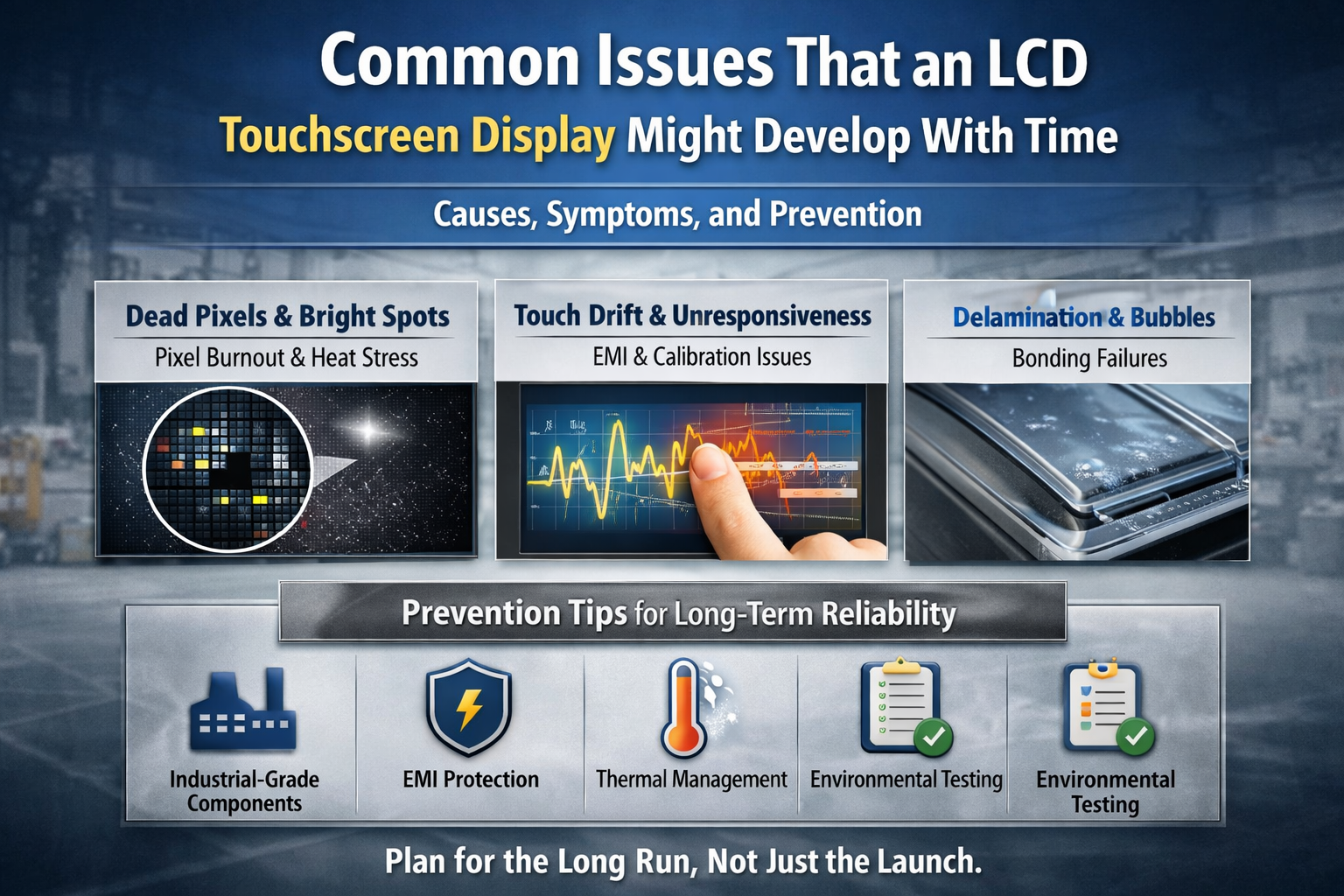
Industrial LCD touchscreens degrade silently over time. Without early detection, minor issues escalate into downtime, project delays, and unexpected replacement costs.
LCD touchscreen displays may develop issues such as dead pixels, brightness degradation, touch inaccuracy, ghost touches, backlight aging, or delamination over time. These problems are typically caused by component aging, environmental stress, electrical instability, or improper integration. Understanding early symptoms helps extend service life and reduce total cost of ownership.
Below is a field-tested breakdown of the most common long-term LCD touchscreen issues, why they occur, and how industrial projects can prevent them.
A display that initially passed inspection may later show dead pixels or bright dots, especially after years of continuous operation. These defects often appear slowly, making them easy to ignore until visibility is compromised. Knowing their root causes helps engineers set realistic acceptance criteria and lifespan expectations.
Dead pixels, stuck pixels, and bright spots are typically caused by TFT transistor degradation, liquid crystal material fatigue, or localized thermal stress. In industrial environments, long duty cycles (24/7 operation), elevated temperatures, and uneven backlight pressure accelerate this process.
It is important to understand that ISO-compliant LCD panels allow a limited number of pixel defects, even when new. Over time, electrical stress and thermal cycling may increase the defect count. Panels used in outdoor kiosks, EV chargers, or factory HMIs experience higher risk due to constant brightness output and limited cooling.
Prevention strategies include:
A touchscreen that once felt precise may begin missing touches, drifting, or triggering false inputs. In unattended or kiosk applications, this leads to customer frustration and service calls. The cause is often not the glass—but the system behind it.
Touch inaccuracy is usually linked to touch controller signal degradation, electromagnetic interference (EMI), or environmental changes rather than physical wear of the glass itself.
Common contributing factors include:
For outdoor or semi-outdoor projects, standard PCAP tuning is often insufficient. Without proper controller tuning and water-touch algorithms, false touches increase significantly over time.
Best practices:
A screen that looked vibrant during installation may appear dim or yellowish after years in service. In outdoor or sunlight-readable displays, this reduces readability and perceived product quality. This issue is predictable—and manageable.
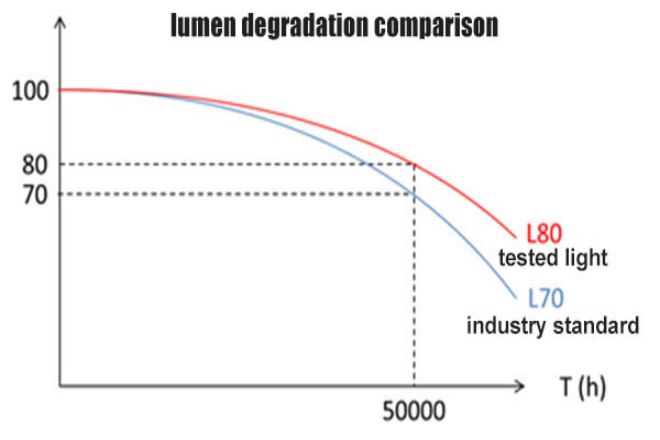
Brightness loss and color shift are primarily caused by LED backlight aging. LEDs gradually lose luminous efficiency, especially when driven at high current or exposed to heat.
Typical industrial LCD backlight lifetimes range from 30,000 to 70,000 hours, depending on:
Color shift occurs as different LED wavelengths degrade at different rates, often leading to warmer tones over time.
Mitigation strategies:

Bubbles, haze, or edge separation between glass and LCD often appear years after deployment. This is not cosmetic—it directly affects optical clarity and touch performance. The bonding method makes the difference.
Delamination typically results from:
Displays using air-gap bonding are more prone to condensation and internal reflections, while poorly executed optical bonding may fail if adhesive selection is incorrect.
Industrial-grade solutions include:
When displays fail earlier than expected, the issue is rarely a single component defect. It is almost always a system-level integration problem. Understanding this prevents repeated project failures.
Premature failures are often linked to:
Industrial displays should never be treated as plug-and-play consumer devices. Long-term reliability depends on holistic system engineering, not just panel selection.
LCD touchscreen issues develop gradually, not randomly. With correct component selection, system integration, and realistic lifecycle planning, most long-term failures can be predicted—and prevented—before they impact your project.
Introduction Human-machine interfaces (HMIs) are now standard components in modern industrial equipment. Displays allow operators to …

Introduction Industrial displays are frequently deployed in environments where lighting conditions are difficult to control. Equipment …

Introduction Displays are a critical interface component in many types of industrial equipment. They provide system …

Introduction Display visibility is a critical design parameter in industrial equipment. Operators rely on graphical interfaces …
Send your application details. We respond with configuration direction and next steps.